
Group reporting
Reconciliation, mapping and eliminations: three checks
Sumledger · October 6, 2026
A group figure can agree with the accounting system and still be wrong in the group report. Source-data reconciliation, account mapping and eliminations answer different questions. Keeping them separate makes it easier to locate errors and document why a report is ready to use.

A group figure can agree with the accounting system and still be wrong in the group report. Source-data reconciliation, account mapping and eliminations answer different questions. Keeping them separate makes it easier to locate errors and document why a report is ready to use.
Three questions before the group report is ready
Reconciling imported source data checks that the reporting base reflects the correct entity, period and extraction from the accounting system. Account mapping determines where local accounts belong in the group chart of accounts and reporting structure. Eliminations remove intragroup items from group figures in accordance with the relevant accounting principles.
These checks do not replace one another. An import can be complete while an expense appears on the wrong reporting line. Mapping can be correct while internal sales remain in group revenue. An elimination entry can balance while relying on incomplete data.
For the CFO and controller, this distinction is operational. It determines who investigates an exception, which evidence is needed and which parts of the report must be checked again. The following approach is designed for private groups reporting across entities and accounting systems.
1. Reconciliation: do we have the right source data?
Start by defining the scope. Which entity does the extraction cover? Which period and currency does it show? Does the report contain period movements or year-to-date figures? When was the data extracted, and have entries been posted since?
Compare the imported data with an identified report from the same accounting system. Use the same date range and selection. Comparing different extraction times can reveal a genuine difference without indicating a transfer error.
Do not stop when total profit agrees. Check relevant account balances and whether all required accounts and entities are included. Offsetting errors can disappear inside a total. If the data includes both balances and transactions, establish how they relate before comparing them.
Retain the report name, extraction time, scope and explanation of differences. A colleague should be able to repeat the check without reconstructing your work. This reconciles the imported reporting data; it does not confirm that every underlying posting is correct under the applicable accounting rules.
The check is complete when: relevant balances have been compared on the same basis and differences have been corrected or explained, with a clear owner.
2. Account mapping: do reporting lines mean the same thing?
Once the source data has been checked, review how local accounts feed into the group report. The same account number need not mean the same thing in every entity. Different account numbers may also describe the same type of expense.
Examine how an account is used, not just its name and number. A local account may contain both direct delivery costs and administrative services. A single mapping may therefore not provide the classification the group needs. Consider whether available dimensions or more detailed data can help, and document the limitations.
Pay particular attention to new accounts, unmapped accounts and changes since the previous period. Also check the reporting line containing the group account. Correct mapping into the group chart of accounts will not help if the reporting structure or KPI formula uses that account incorrectly.
Reclassification may move expenses between reporting lines without changing total profit. Reconciled profit is therefore not evidence of a correct gross margin or comparable KPIs. Review comparative figures when mapping changes and explain any differences in treatment between periods.
The check is complete when: relevant local accounts follow documented group logic and the effects on reporting lines and comparatives are understood.
3. Eliminations: what should not remain in the group figure?
An elimination is a group adjustment, not a repair to an import or mapping rule. Before eliminating intragroup items, you need to identify them through counterparty, account, dimension or other documented coding.
Compare the relevant parties’ data before making the adjustment. Differences may arise from timing, missing postings, currency treatment or an incorrect counterparty. Do not add an unexplained balancing entry merely to make the report look finished. Identify the cause and assess the correct treatment under the group’s principles.
Distinguish the check that counterparties agree from the elimination entry itself. Document the entities and accounts involved, the period affected, the supporting evidence and the impact on the group report. Other group adjustments also need explicit explanations; they should not be hidden inside account mapping.
This article describes the control process, not every consolidation accounting rule. Ownership, currency, tax and other matters may require separate assessments. The essential point is that a traceable elimination entry can be explained independently of the data originally imported.
The check is complete when: the underlying items are identified, differences are addressed and the adjustment can be followed from evidence to reporting impact.
A controller’s scenario: profit agrees, but the report does not
This is an illustrative working situation, not a customer case. A controller is preparing the monthly report. A subsidiary’s extraction agrees with its local trial balance. Yet the group’s gross margin differs from expectations, and internal service revenue is still included.
Instead of creating a single “reconciliation difference”, the controller separates the investigation:
- Source data: Account balances agree for the same period and extraction time. No import error has been established.
- Mapping: An account for direct services sits under administration. Its classification needs to be assessed against the group’s definition of direct costs. Moving it between lines does not necessarily change total profit.
- Elimination: An internal service item lacks an unambiguous counterparty code. The local accounting owner must identify the counterparty and evidence before the controller can assess the elimination entry.
After correction, the controller checks the affected reporting lines again. If new source data is imported, the relevant source reconciliation is repeated too. The explanation to the CFO now distinguishes data, classification and group adjustment. None is concealed by a general comment that “the numbers have been reconciled”.
A control log you can use next month
There is no need to start with a large project. Use a simple log with separate entries for each type of check:
- Scope: entity, period, source or reporting line.
- Check type: source reconciliation, mapping or group adjustment.
- Evidence: report, account, voucher or documented mapping rule.
- Exception and action: what is wrong, what needs doing and what is affected?
- Owner and status: who follows up, and what remains before review?
- Recheck: which data was used after the correction?
Agree ownership before exceptions arise. The local accounting owner can clarify postings and source data. The group controller can own mapping and group adjustments. The CFO should clarify reporting principles and which unresolved matters need escalation before the report is used. Adapt these responsibilities to your organisation.
The log is a recommended working practice, not a claim about a particular task-management or approval feature in Sumledger.
When is Excel enough, and when do you need a shared control layer?
Excel can be sufficient when the scope is straightforward, checks are repeatable and evidence is easy to find. File format is not the deciding factor. What matters is whether the finance team can separate the checks and explain the report without depending on one person.
When entities, accounting systems and manual handovers make that difficult, a shared control layer becomes more relevant. Sumledger supports financial controlling, group reporting, consolidation and eliminations across entities and accounting systems, with access to underlying detail where source data allows. Software support does not replace defined mapping, identifiable intragroup items or professional judgement.
Read more about group reporting across entities. Bring a reporting line your team spends too long explaining: Book a short demo.
Related reading: From system integration to an explainable group figure.
Relevant to explore
Group reporting
Unify reporting and consolidation for growing groups across companies and systems.
Financial control
Start at group level and drill down to company, account, transaction and voucher where data is available.
Multi-ERP control
Give finance one shared control layer even when subsidiaries use different ERP and accounting systems.
Shared reporting
Everyone works from the same numbers. Live reports, comments and full audit trail – ready for CFOs, controllers and auditors alike.
Bring group finance together
See how Sumledger provides a shared control layer across entities and accounting systems.
Book a short demoRead next
Related articles

Group finance reporting: 8 checks before sign-off
A practical CFO and controller sign-off: eight checks that make group numbers comparable, traceable and explainable.
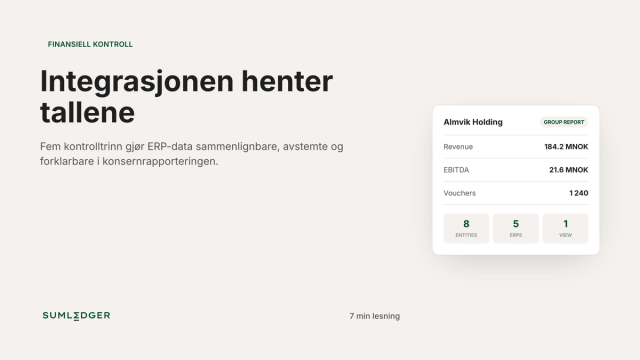
From system integration to an explainable group number
Five control steps that make ERP data comparable, reconciled and explainable in group reporting.