
Financial controlling
From system integration to an explainable group number
Sumledger · September 15, 2026
Five control steps that make ERP data comparable, reconciled and explainable in group reporting.

A system integration can retrieve balances, transactions and dimensions from accounting systems. That does not mean the group report is finished. Before the CFO can trust and explain the number, the finance team must make the data comparable, reconcile exceptions and document how group logic has been applied.
This guide covers five control steps between connected ERP data and a group number that can withstand questions from management, the board and auditors.
What makes a group number explainable?
A group number is explainable when a controller can follow it from the report line back to the entity, local account, dimension, transaction and voucher where the source data allows. The team must also show which mappings, currency translations, intercompany reconciliations and eliminations changed the local figures.
The integration provides access to the raw material. The group model makes the figures comparable. The control workflow makes the report reviewable.
Why “the integration works” is not the finish line
A technically successful integration normally confirms that data arrives, the right entities and periods are included, balances and transactions are available, and updates run as agreed.
Group reporting requires a second set of questions:
- Are all local accounts mapped to the right group line?
- Do dimensions mean the same thing across entities?
- Are currency principles consistent?
- Can intercompany items be identified and reconciled?
- Are eliminations visible and documented?
- Can an exception be traced to its source and assigned to an owner?
This is the difference between data movement and financial control. The integration may be correct while the report still contains a wrong classification or hides an unexplained difference.
Five control steps from ERP data to group reporting
1. Control the delivery from every entity
Confirm that the data set is complete. Compare the imported ledger or trial balance with the source system for the same entity and period. Check record counts, totals and the latest update.
Give every entity a clear status: not delivered, delivered, exception or approved. Record who owns the delivery. A report is not ready if one entity still lacks entries or reconciliations, even when the integration completed without an error.
2. Make charts of accounts and dimensions comparable
Local accounts serve local needs. The same consulting expense may use different account numbers and reporting categories in two entities. The group therefore needs documented mapping from local accounts to a shared group chart of accounts.
Apply the same discipline to dimensions. Department, project or market may have different definitions. Do not connect values merely because their names look alike. Document what is comparable, what requires mapping and what should remain local detail.
Review every period for new or changed accounts, unmapped accounts, new dimension values, changes to group hierarchies and the person who approved each change.
3. Reconcile intercompany items before eliminating them
Eliminations should be based on reconciled items. If entity A reports a receivable of NOK 800,000 and entity B reports a payable of NOK 760,000, eliminating both balances does not resolve the difference.
Find the cause first. Common reasons include different posting dates, currency, a missing invoice, different account treatment or weak counterparty tagging. Correct what should be corrected and document open exceptions with an amount, owner and deadline.
For a detailed workflow, see Reconcile before elimination: 7 checks.
4. Separate source figures from group adjustments
A strong report shows what came from the local ledger and what changed at group level. This includes account mapping, currency translation, reclassifications, group-level accruals, eliminations and manual group journals.
Each adjustment should carry a rule or explanation, an owner, a timestamp and supporting evidence. The controller can then reproduce the report and understand why a line changed from the previous month.
5. Build traceability and sign-off into the workflow
Traceability means more than having transaction data somewhere. The user must be able to follow the route from the group report to supporting evidence without assembling the explanation from several spreadsheets and email threads.
For material report lines, the team should be able to answer:
- Which entities and accounts are included?
- Which mapping and currency logic were used?
- Which eliminations affect the amount?
- Are any exceptions still open?
- Who reviewed and approved the line?
- Can the number be traced to transactions and vouchers where the source supports it?
Read When ERP reports stop at the company boundary for more on the difference between local reporting and group control.
A practical controller scenario
A private group has six entities in Norway and Sweden using three accounting systems. The integrations have retrieved all August balances, and the totals agree with the local trial balances. Yet operating profit is below expectations.
The controller drills from the group report to entity level and finds three issues:
- A new Swedish expense account is unmapped and sits in other costs.
- An internal service invoice is posted in Norway but not received in Sweden.
- One entity uses project for customer initiatives, while the group report interprets the dimension as product area.
None of these issues exists because the integration is missing. The problem lies in group logic and the control work after retrieval. Once mapping is corrected, the difference has an owner and the dimension definition is clarified, the CFO can both report and explain the result.
A simple acceptance test for integrated group reporting
Before approving a new or changed integration, test more than technical data movement:
Control area
Question before approval
Evidence
Data completeness
Do entity, period and totals agree with the source?
Import log and reconciliation
Mapping
Are all active accounts placed correctly?
Approved mapping log
Dimensions
Are definitions comparable?
Dimension register
Intercompany
Can both sides be identified and reconciled?
Reconciliation list
Adjustments
Are currency, eliminations and manual entries visible?
Change and elimination log
Traceability
Can material figures be followed to evidence?
Sample checks and sign-off
Repeat the test whenever a new entity, account, dimension or API change affects the data set. Integration is not a one-off project when the group model keeps changing.
When are ERP reports enough?
If every entity uses the same ERP, reporting needs are simple, and the native group capability covers mapping, reconciliation, eliminations and traceability well enough, ERP reports may be sufficient. Sumledger is not the right fit for every group.
A separate control layer becomes relevant when several systems, local charts of accounts, new entities or manual group rules create material work outside the ERP. Evaluate what the finance team must do after retrieval, not only how quickly the connection can be established.
The integration retrieves the figures. Control explains them.
An explainable group number has three layers: access to source-system data, a shared group model and a controlled workflow for exceptions, approvals and evidence. Skip one layer and the report becomes harder to defend.
Sumledger can bring ERP data, mapping, group reporting, eliminations and drilldown into one control layer for private groups. Want to see how that could work across your systems? Book a short demo.
Relevant to explore
Group reporting
Unify reporting and consolidation for growing groups across companies and systems.
Financial control
Start at group level and drill down to company, account, transaction and voucher where data is available.
Multi-ERP control
Give finance one shared control layer even when subsidiaries use different ERP and accounting systems.
Shared reporting
Work from a shared reporting basis across your companies. Data is imported every hour so CFOs and controllers can follow performance and investigate variances.
Make the group number explainable
See how Sumledger brings ERP data, mapping, reconciliations, eliminations and drilldown into one control layer.
Book a short demoRead next
Related articles

Group finance reporting: 8 checks before sign-off
A practical CFO and controller sign-off: eight checks that make group numbers comparable, traceable and explainable.

When AI changes the ledger: two control levels
An AI suggestion can be right locally and still distort the group view. Separate local accounting control from group control.
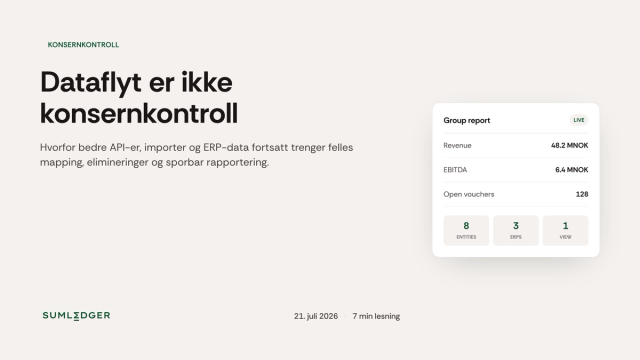
Data Flow Is Not Group Control
APIs, imports and better ERP data make reporting easier. But group logic still needs to be owned, explained and controlled by finance.