
Group reporting
When Is Excel No Longer Enough For Group Reporting?
Sumledger · June 2, 2026
Excel can be the right starting point for group reporting. These are the signs that finance needs more structure, traceability and shared control.

Excel is often the first system for group reporting. It is flexible, familiar and easy to adapt when the group adds a company, a reporting line or a new board requirement.
The problem is not that finance uses Excel. The problem starts when Excel becomes the control system for the group.
For private groups with 3-20 companies, this usually happens gradually. The reporting workbook works well at first. Then come more subsidiaries, more accounting systems, more dimensions, more intercompany checks and more pressure to explain numbers down to accounts, transactions or vouchers. At that point, the question is no longer whether Excel can produce a report. The question is whether Excel provides enough control.
Short answer: When Excel no longer gives traceable control
Excel is no longer enough for group reporting when the CFO and controller cannot quickly see, explain and verify numbers across companies. Common signs include too many manual exports, person-dependent formulas, weak traceability to source documents, manual eliminations and charts of accounts or dimensions that must be mapped every month.
That does not mean every Excel workflow should disappear. Many finance teams still need Excel for analysis, commentary and specific reporting tasks. But control should not depend on one workbook.
Scenario: The group grows, and the workbook grows with it
Imagine a private group with eight companies in Norway and Sweden. The group has grown through two acquisitions. Five companies use one accounting system, two use another, and one smaller company still sends some reports manually.
The controller has built an Excel model that collects the reporting. It includes account mapping, group reporting lines, eliminations, comments, variance explanations and the board pack. The CFO trusts the model because it has worked for several years.
Then three things happen at once:
- a new subsidiary uses a different chart of accounts
- the bank asks for faster monthly reporting
- the board wants to understand why margins are falling in one business area
Now the challenge is not only getting numbers into the report. The challenge is explaining the number quickly and with confidence. Which companies drive the variance? Is the explanation operational, or does it sit in periodization, mapping, currency or eliminations? Which transactions sit behind the change?
If the answer requires several Excel files, emails, local ERP reports and oral knowledge from one person, group reporting has probably outgrown Excel as its control layer.
Five signs the Excel process has become a control risk
1. Only one person understands the reporting workbook
This is the most common warning sign. The file works, but the logic is person-dependent. One controller knows which sheets must be updated, which cells must not be touched, and which variances usually come from mapping issues.
That may be efficient day to day. It is fragile during holidays, sick leave, team changes, audit questions or urgent management requests.
2. Month-end depends on too many manual handovers
Every export, import, copy-paste step and manual adjustment increases risk. It is not always one large failure point that creates the problem. It is the sum of small manual handovers:
- reports pulled from several systems
- accounts mapped or checked manually
- intercompany transactions reviewed in separate tabs
- comments collected in email or documents
- numbers locked late because variances are explained outside the model
When month-end depends on too many of these steps, the reporting process becomes hard to quality-control.
3. Numbers cannot be traced quickly back to source
The CFO does not only need a consolidated report. The CFO needs to explain it.
If a board member asks why personnel costs are higher in one company, finance should be able to see which accounts, dimensions, transactions or vouchers sit behind the line, when the data supports it.
If that explanation must be rebuilt manually through local ERP reports and Excel lookups, traceability is too weak.
4. Eliminations and intercompany checks live outside a shared workflow
Eliminations are often manageable in the beginning. A few internal invoices, some balances and a known set of adjustments.
As the group grows, intercompany control becomes harder. Different companies may use different accounts, periods or descriptions. Variances may come from timing, misposting, currency, missing documentation or different local practice.
If eliminations sit as manual lines in Excel without clear documentation and traceability, they become difficult to review.
5. Each new company makes reporting disproportionately heavier
Adding a company should not make the whole reporting process fragile. Yet that is often what happens when the group relies on an Excel-based model.
A new chart of accounts, dimensions, accounting system and reporting routine must be fitted into an existing structure. It can work, but it often requires more manual effort than the CFO expects.
This matters especially for acquisition-driven groups. If every acquisition creates a new reporting exercise, control should probably move up one level.
Excel, ERP reports, BI and a control layer
When Excel starts to become fragile, finance teams often compare alternatives. It helps to separate them clearly.
Alternative
Strength
Limitation
Excel
Flexible, familiar and easy to change
Person-dependent, weak traceability and manual risk
Local ERP reports
Strong inside each company
Often stop at the company and system boundary
BI/dashboard
Good at showing numbers and trends
Does not necessarily solve mapping, eliminations and control workflow
Enterprise EPM
Powerful for large complex groups
Often too heavy for private groups with 3-20 companies
Control layer
Brings control together across companies and systems
Requires structured setup of data, mapping and routines
For Sumledger’s ICP, the last option is often the most relevant: not a full ERP replacement, not a heavy enterprise implementation, but one shared control layer above existing accounting systems.
What CFOs should clarify before the next reporting cycle
If you are assessing whether Excel is still enough, start with practical questions:
- How many companies and accounting systems are included in reporting?
- How many manual steps sit between local reports and the board pack?
- Who owns the mapping between local accounts and group reporting lines?
- Can eliminations be documented and reviewed by someone other than the person who built the workbook?
- Can you explain a group line down to account, dimension, transaction or voucher?
- What happens if the key person behind the reporting workbook is unavailable at month-end?
- How much heavier does reporting become when a new company is added?
The answers usually give a clearer picture than a broad system discussion.
Where Sumledger fits
Sumledger is built for private Nordic groups that have become too complex for pure Excel reporting, but do not need heavy enterprise finance systems.
The platform connects to the accounting systems used by subsidiaries and gives CFOs and controllers one control layer for group reporting, consolidation, eliminations, Excel workflows and analysis across companies. Where the data supports it, finance teams can work with accounts, dimensions, transactions, vouchers and attachments in the same control context.
The point is not to ban Excel from finance. The point is to move control out of a fragile workbook and into a shared working surface.
From flexibility to control
Excel is flexible. That is why finance teams keep using it for so long.
But when group reporting must support several companies, several systems, recurring eliminations and clear explanations to the board, bank and owners, the CFO needs more than flexibility. The CFO needs traceable control.
Book a short demo to see how Sumledger can bring group reporting, Excel workflows and control together across companies and accounting systems.
Relevant to explore
Group reporting
Unify reporting and consolidation for growing groups across companies and systems.
Excel reporting
Keep Excel where it adds value, but work from controlled and updated numbers.
Multi-ERP control
Give finance one shared control layer even when subsidiaries use different ERP and accounting systems.
Excel Workflows
Work exactly how you want. Pull live numbers straight into Excel with Sumledger EXL for full control, or explore powerful reports directly in the platform. One source of truth and complete freedom in how you use it.
See how group reporting can come together
Get a short walkthrough of how Sumledger gives CFOs and controllers one control layer across companies, accounting systems and Excel workflows.
Book a short demoRead next
Related articles
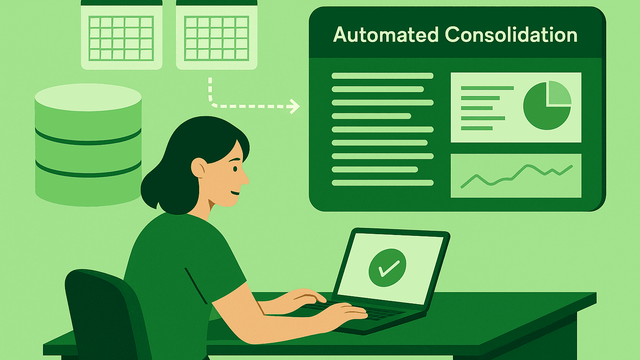
Excel vs. Automated Consolidation – When Is It Time to Switch?
Excel works well for analysis, but it breaks down when groups grow, add more companies and use multiple ERP systems. Automated consolidation delivers real-time data, consistent reporting and far less manual work — while Sumledger still lets you export every transaction to Excel when you need full flexibility. The best time to switch is when reporting takes too long and accuracy starts to depend on manual processes.
The True Cost of Manual Group Reporting (And Why Automation Pays Off)
Manual group reporting looks simple on the surface, but the hidden costs are significant. Time-consuming exports, manual mappings, currency errors and dependency on key individuals slow down the entire finance function. Automated consolidation removes this friction by standardising data, updating numbers in real time and eliminating manual work while Sumledger still provides full Excel flexibility through Sumledger EXL. The result is faster reporting, fewer errors and more time for meaningful analysis.
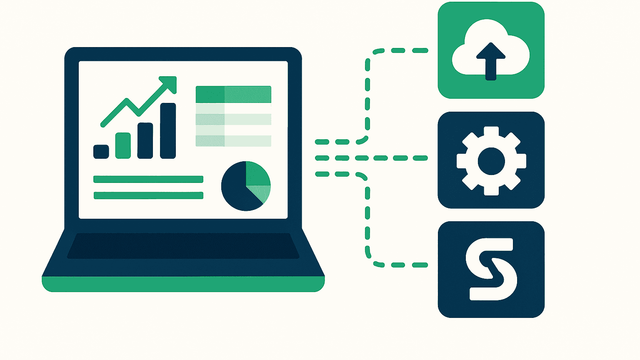
Why Multi-ERP Groups Struggle With Reporting (And How to Fix It)
Multi-ERP groups often struggle with reporting because data structures, exports and currencies differ across systems. Excel becomes slow and error-prone, while automation delivers a unified data model, real-time reporting and consistent consolidation. Sumledger solves the complexity by connecting all ERPs, standardising the chart of accounts and still giving full Excel flexibility through Sumledger EXL.