
Group reporting
Group reporting without key-person dependency
Sumledger · October 13, 2026
Could another controller reproduce the group report when its usual owner is away? A simple handover test reveals where reporting still depends on verbal explanations, personal files and undocumented decisions.

Could another controller reproduce the group report when its usual owner is away? A simple handover test reveals where reporting still depends on verbal explanations, personal files and undocumented decisions.
Key-person dependency in group reporting arises when only one person can retrieve the right source data, understand the group model and explain adjustments. Reduce it by documenting assumptions, giving a deputy appropriate access and testing whether they can reproduce an approved report. A procedure alone does not prove that the handover works.
For a private group with several entities, this is a practical control task. The aim is not for everyone to know everything. It is for reporting to withstand absence, role changes and management questions without the finance team having to start again.
Start with one approved report
Choose a completed monthly report that has already been approved. Ask another member of the finance team to reproduce it in a separate workspace using the same source data. Do not use the current month for the first test: otherwise, incomplete handover and changes in the figures become difficult to distinguish.
Define the scope in writing. Which entities, period, reporting currency and report lines are included? Should the deputy reproduce the full reporting package or start with the income statement? Who will assess differences?
Keep the approved report unchanged. A handover exercise must not overwrite history or send a new version to the board. Also agree how personal information and sensitive supporting documents will be protected.
A controller scenario: same files, different result
The fictional demo group Almvik Holding comprises eight entities in three countries. The Group Controller has delivered the monthly report and will be away for the next reporting cycle. A colleague receives the workbook and access to the source data.
The colleague finds the figures but stops at three questions. Which extract version was used? Why does a local account belong to a different report line than its name suggests? Has an intercompany item already been corrected in the entity’s accounts, or only in the group report?
The total cannot answer any of these questions. If the colleague has to call the regular controller for every decision, the report has been transferred but the working process has not. This scenario illustrates a control risk. It is not a customer story or a measured Sumledger result.
Five things the deputy must be able to find
1. The correct source data
Document where the data comes from, when it was retrieved and which period it covers. Include filters, entity and any restrictions on postings. A file called “latest export” is not an unambiguous source description.
Distinguish data retrieval from completed accounting checks. The deputy needs both an explanation of the extract and a status update from the person responsible for the entity’s figures. If historical extracts cannot be reproduced, preserve the underlying data in a controlled way.
2. The group model and account mapping
Show how local accounts map to group report lines. Document exceptions and who is allowed to change them. The same applies to dimensions: a local department code does not necessarily explain which business activity the group should report it under.
The deputy should be able to explain a mapping rule, not simply copy last month’s formula. New or unmapped accounts must remain visible as unresolved questions. They should not disappear because the workbook has no corresponding row.
3. Adjustments and eliminations
Each group adjustment should have a clear explanation, period, owner and connection to supporting evidence. Indicate whether it applies only to group reporting or must also be posted in an entity’s accounts. Describe any reversal without assuming it happens automatically.
For intercompany items, the deputy must understand how counterparties are identified and how differences are handled. A balanced final report does not, by itself, demonstrate that the correct intercompany transaction has been eliminated.
4. Exceptions and decisions
Open issues should accompany the report, not remain in a private message history. Describe what has been checked, what remains outstanding, who will follow up and what the uncertainty means for the report.
Distinguish an actual exception from an accepted difference with a documented explanation. “It is always like that” is not an explanation a new controller can use. Link the decision to the relevant report version.
5. Access and responsibility
Test the deputy’s own access before the absence begins. Can they see the necessary reporting data and available vouchers without gaining more access than their role requires? Never share a login as a substitute for correct access management.
Clarify who may correct source data, change mapping, record group adjustments and approve the report. In a small team, one person may carry several responsibilities. Where practical, arrange for someone else to review the most important changes.
Run the test without continuous help
Let the deputy work from the agreed documentation. The regular controller can observe but should not explain every next click. Record where the work stops and what information is missing.
Compare assumptions first, then figures. A difference may result from a different extraction time, changed mapping or a missing group adjustment. Do not insert an extra entry simply to force the report to agree.
Once the cause is understood, update the documentation and repeat the part that failed. Also check that the deputy can trace and explain one selected report line back to the entity, account and available supporting evidence. The objective is verifiable understanding, not just an identical spreadsheet.
Use a simple handover log
Start with a table in a controlled document. This is a suggested working routine, not a claim that Sumledger provides a dedicated handover-log feature.
Check
What should be documented?
When is it resolved?
Source data
Source, period, extraction time and filters
The deputy can find the same data
Reporting model
Entities, currency and mapping version
Scope and rules can be explained
Adjustments
Level, period, rationale and evidence
No entry depends on a verbal explanation
Open issues
Exceptions, owner and follow-up
Uncertainty accompanies the correct report version
Approval
Who reviews and who approves
The next step and its owner are clear
Measure how often help was needed, which permissions were missing and which differences remained unexplained. Use this as an internal improvement measure. There is no universal completion time that proves every group has an adequate handover.
When Excel is enough, and when a shared control layer helps
Excel can work well when the model is manageable, source data is controlled and several team members understand the workbook. A successful handover test is stronger evidence than the number of tabs alone.
The need changes when the same collection, reconciliation and explanation work must be repeated across entities and accounting systems. At that point, consider a shared control layer while keeping ownership of rules and approvals within the finance team.
Sumledger provides a shared control layer for financial controlling, group reporting and consolidation across entities and systems. Access to detail and vouchers depends on available source data and configuration. Software does not replace documented judgements or an actual handover test.
Read more about group reporting across entities and reconciliation, mapping and eliminations as three separate checks.
Want to assess the workflow against your own reporting needs? Book a short demo.
Relevant to explore
Group reporting
Unify reporting and consolidation for growing groups across companies and systems.
Financial control
Start at group level and drill down to company, account, transaction and voucher where data is available.
Multi-ERP control
Give finance one shared control layer even when subsidiaries use different ERP and accounting systems.
Shared reporting
Work from a shared reporting basis across your companies. Data is imported every hour so CFOs and controllers can follow performance and investigate variances.
Bring group finance together
See how Sumledger provides a shared control layer across entities and accounting systems.
Book a short demoRead next
Related articles

Group finance reporting: 8 checks before sign-off
A practical CFO and controller sign-off: eight checks that make group numbers comparable, traceable and explainable.
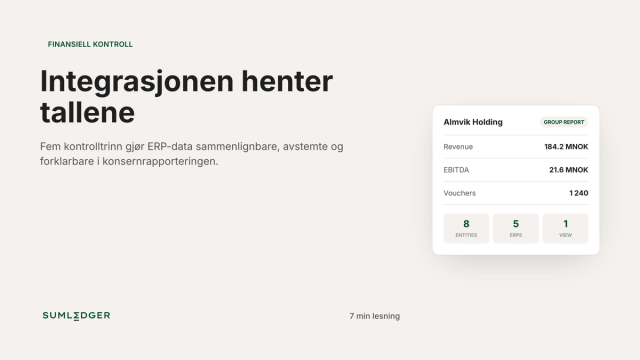
From system integration to an explainable group number
Five control steps that make ERP data comparable, reconciled and explainable in group reporting.